
I Just Open-Sourced My First Project: PicWolf
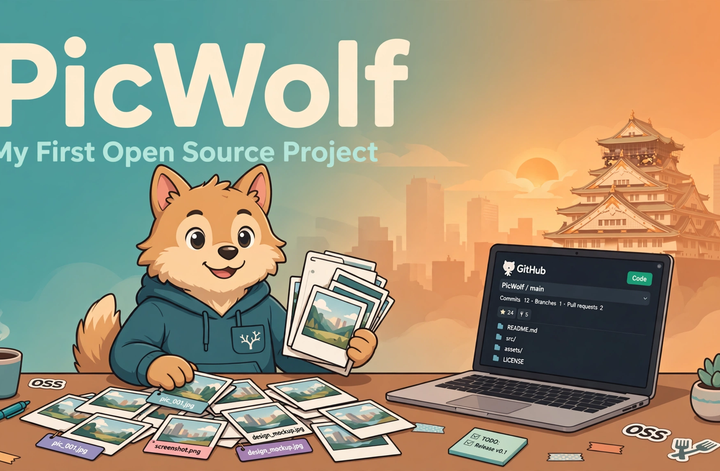
After months of cleaning guesthouses in Osaka by day and coding by night, I finally did it. My first open source project is live:
👉 https://github.com/i-love-osaka/PicWolf
Why I built PicWolf
Living in Osaka, I deal with hundreds of photos every week — minshuku rooms, check-in guides, food maps for guests. My folder was a mess: IMG_1234.jpg, IMG_1234 (1).jpg, 10MB iPhone photos that take forever to upload.
I tried existing tools, but they were either too heavy, too expensive, or needed me to upload my guests’ photos to some random server. I wanted something fast, local, and a little bit fun. So I built a wolf that eats your messy pics.
That’s PicWolf.
What is PicWolf?
PicWolf is a fast, privacy-first batch image toolkit, written in Rust.
No window to open, no files to drag into an app. You select photos in Finder (macOS) or File Explorer (Windows), right-click, and PicWolf does the boring work — right where the files already live.
Current features:
- Compress to JPG at about 80% or 50% of the original file size
- Rotate right, flip horizontally
- Convert to JPG or PNG
- HEIC/HEIF input on macOS (your iPhone photos just work)
- Results are saved next to the originals; if a file name already exists, PicWolf appends a number instead of overwriting
- 100% local — no images ever leave your machine
Under the hood: a Rust core, a Finder Sync extension on macOS, and right-click menu integration on Windows (the Windows build is cross-compiled from my Mac). Every push runs tests and release builds on Linux, macOS, and Windows.
How to use it
Most of the time, there is nothing to “use” — install it once, and the actions live in your right-click menu:
- Select one or more photos in Finder or Explorer
- Right-click → PicWolf
- Pick an action: smaller JPG, rotate, flip, or convert
Prefer the command line? That works too:
PicWolf.exe --action reduce20 "C:\Pictures\photo.jpg"Supported actions: reduce20, reduce50, rotate90, flipHorizontal, jpg, png.
It took me 15 minutes to clean 2GB of room photos yesterday. That used to take an hour.
What I learned shipping my first open source project
- Done > Perfect. I wanted to add 10 more features. I shipped with the few that matter.
- README is the product. No one will use it if they can’t understand it in 30 seconds.
- Building in public is scary, but kind. This is my first repo and I’m already getting kind feedback.
This is very much v0.1. There are rough edges, and the docs are half in Chinglish. That’s okay.
PicWolf is also where I’m learning Rust in the open — one real tool, built for a real problem in my daily work.
What’s next?
- A drag & drop window for people who don’t live in the right-click menu
- One-click presets for Airbnb / Booking.com photo requirements
- Homebrew release:
brew install picwolf
If you work with images, run a minshuku, or just like wolves, I’d love your feedback.
Give it a star if it saved you 5 minutes, open an issue if it broke, and PRs are super welcome — especially from fellow Osaka folks!
Thanks for reading. From a small apartment in Osaka to GitHub.
— Ben @ i-love-osaka