
I Just Open-Sourced CleanTag

Some of the music files floating around the internet carry a lot of extra baggage: cover art, tags left by whoever ripped them, comments, even website ads baked into the metadata. I wanted a tool that strips all of that away and leaves nothing but the audio itself.
So I built CleanTag. It looks at the actual file contents — not the extension — and handles MP3, FLAC, WAV, AIFF, MP4/M4A, OGG, APE, WMA/ASF, DSF and DFF. One click cleans a whole folder in place: every tag and embedded cover gone, the audio stream untouched. Or use “Clean to MP3” and it writes fresh 320 kbps MP3s into a new folder, leaving your originals alone.

Same rule as my other tools: one job, done cleanly. The interface follows your system language — Simplified Chinese or English — and everything runs locally. No accounts, no uploads, no ads.
Source code (MIT): https://github.com/i-love-osaka/CleanTag
Download for macOS: https://github.com/i-love-osaka/CleanTag/releases/tag/v0.1.0
I Just Open-Sourced MusicTag

For years, my favorite tool for fixing music tags on Windows was a little freeware called MusicTag. Drop in a folder of MP3s and it would search online, find the right titles, artists, cover art and lyrics, and write everything into the files. Then it stopped being updated — and it only ever ran on Windows.
So I rebuilt it in Rust, from scratch, for macOS and Windows.

MusicTag searches six sources — NetEase Cloud Music, QQ Music, Kugou, Kuwo, iTunes and MusicBrainz — in the order you set. One click matches your whole list. The results land in memory first: nothing touches your files until you press Save Changes. If a match looks wrong, each row has a “More” button with the other candidates, so you can pick the right one by hand.
Every save keeps a snapshot of the previous tags, and History lets you roll any file back. It reads and writes MP3, FLAC, M4A, OGG (Vorbis and Opus), APE, WavPack, WMA, DSF and DFF, and the interface follows your system language — Simplified Chinese or English.
Same rule as my other tools: one job, done cleanly. No accounts, no ads, no bloat.
Source code (MIT): https://github.com/i-love-osaka/MusicTag
Download for macOS: https://github.com/i-love-osaka/MusicTag/releases/tag/v0.1.0
I Just Open-Sourced SmartReName

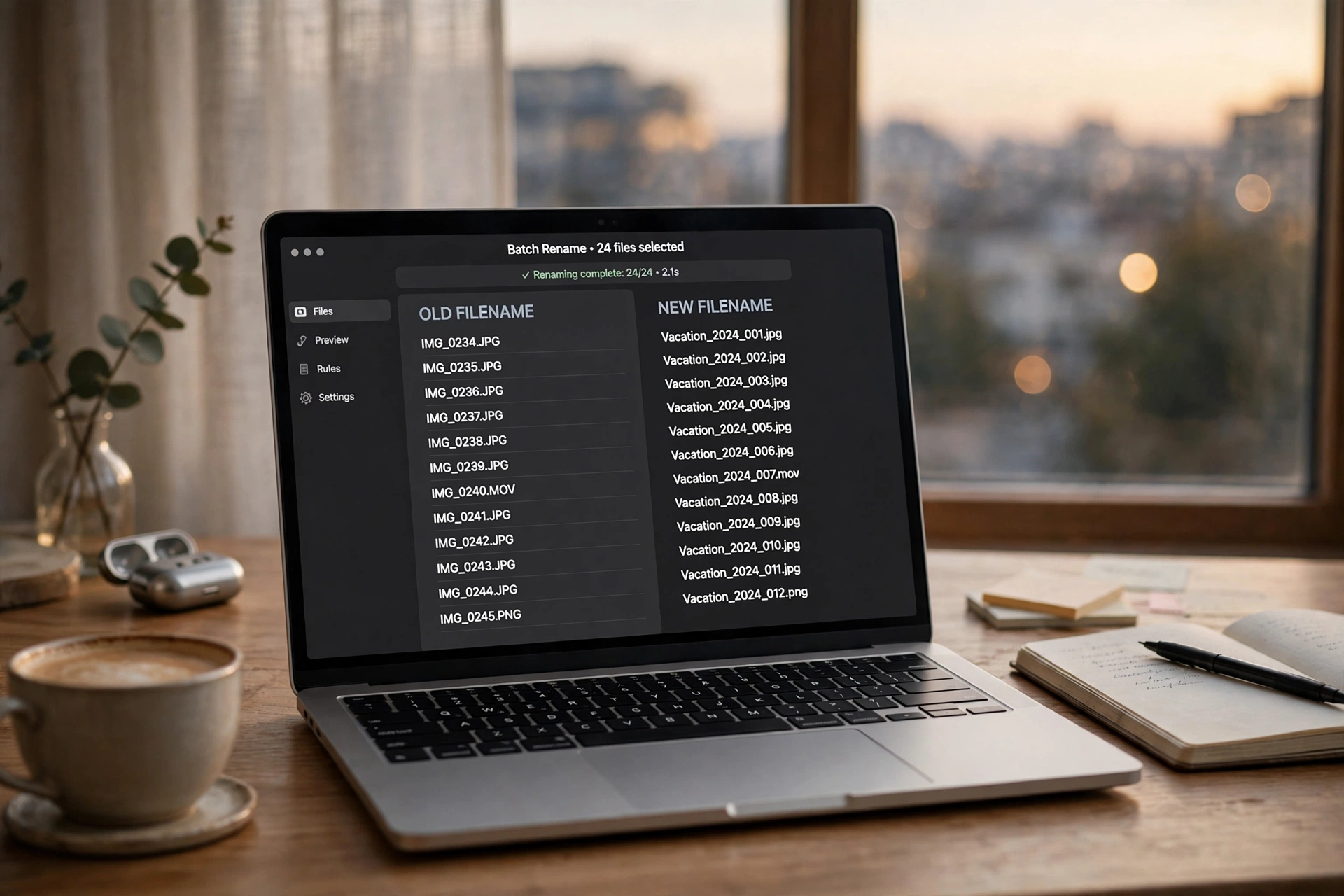
Twenty years ago, there was a small Chinese freeware tool called 拖把更名器 (SmartRename). If you needed to rename a few hundred files, it was the tool everyone reached for: a pipeline of operations, a preview before anything happened, and the comforting feeling that nothing could go wrong. Then it stopped being updated. These days it still runs — right after showing you an error dialog you have to click away.
I missed it. So I rebuilt it from scratch, clean-room, in Rust. Today I’m open-sourcing it: SmartReName.
GitHub: https://github.com/i-love-osaka/SmartRename
What I kept, and what I dropped
I kept the soul of the original: stack up operations — replace, numbering, add, delete — watch a live preview of every new name as you type, check for conflicts, then apply. And if anything goes wrong, undo puts every file back. Operation records can be saved as JSON and replayed later.
What I dropped is everything time made pointless: ID3 and RMVB tag editing, Explorer context menus, meta-variables, and the old proprietary record format. SmartReName does one thing: batch renaming.
The one feature I insisted on most: it starts with zero dialogs and zero errors. The original’s startup error was a small thing, but it was a daily paper cut. Not in this version.
What’s inside
- Replace with plain text or regular expressions — and because regex scares everyone (including me, some days), there is a built-in library of 15 practical examples under Help → Regex Examples, each explained, each with copy buttons; the four most common ones sit right in the Replace tab
- Numbering, add, delete by range or by substring
- One-click cleanup of the junk that downloads bring along: (1), – 副本, [site.com], full-width characters
- Naming styles — camelCase, PascalCase, snake_case, kebab-case — and Traditional ⇄ Simplified Chinese conversion
- Rename by date (EXIF, modified, or created), rename from the parent folder, and nine preset script commands like Chinese → pinyin
- Conflict detection with optional auto-numbering, per-file failure reasons that stay on screen, timestamps preserved if you want them
Under the hood it is two Rust crates: a platform-independent renaming engine with unit tests, and a native-feeling macOS UI (system menu bar, follows light/dark mode) built with egui — the same stack as PureMap. Execution is two-phase through temporary names, so a run never leaves your files half-renamed.
Status
macOS first (Apple Silicon); the engine is cross-platform and Windows is planned. The interface is currently in Chinese, like the original — English localization is very welcome. It is ad-hoc signed, so on first launch use right-click → Open.
Good tools deserve to outlive their maintainers. The original renamer served a generation of Windows users; if this version serves a few people on modern machines, it was worth the rewrite.
— Ben
I Just Open-Sourced Sizuya Booking

Running small guesthouses in Osaka means bookings should be simple: a guest finds a room, books it, pays, and walks in without a pile of messages in between.
So I built a booking website for my own houses. Today I open-sourced it: Sizuya Booking.

What it does
- Property listings for guests to browse
- Booking and guest information management
- Stripe payments
- TTLock smart lock integration
- A multilingual interface: English, Simplified Chinese, Traditional Chinese, Japanese, Korean, Spanish, French, and German
It is built with Django and PostgreSQL, the stack I use for my guesthouse tools.
Run it locally
With Docker and Docker Compose:
cp .env.example .env
docker compose up --build
docker compose exec web python manage.py migrate
Then visit http://localhost:8000
You can also run it with native Python 3.12 and PostgreSQL. The repository includes Nginx deployment references for production, but the Compose setup itself is for local development: for production, use a proper WSGI/ASGI server, HTTPS, and secure secret management. Never commit a real .env file or production credentials.
Get the code
Sizuya Booking is released under the MIT License:
https://github.com/i-love-osaka/homestay_booking
If you run a small guesthouse or vacation rental and you want a booking site you can own and adapt, I hope this saves you some work. Stars, issues, and pull requests are welcome.
This is another one of my guesthouse tools, out the door. One system at a time.
— Ben
Introducing Sizuya Net Clean

I’m happy to share that Sizuya Net Clean is now open source.
Built with Django, this project helps streamline cleaning photo reports for vacation rentals. Cleaners can follow a property-specific checklist, upload photos one item at a time, and leave a final remark. Administrators can manage photo items and review completed reports through Django Admin.
The app also generates photo thumbnails and includes a command to clean up incomplete uploads. It’s released under the MIT License.
If you’re working on a similar workflow—or just want to explore the code—you can find the project on GitHub.
I hope it’s useful, and I’d love to hear what you build with it.